Lancelot publishes last month’s AI gross margin as a badge and a public page, recalculated every hour.

full month of tracking before Lancelot marks a margin verified.
months of trend at most, counting only fully tracked months.
snippets, HTML for your website and Markdown for a README.
customer names, dollar figures or plans on the public page.
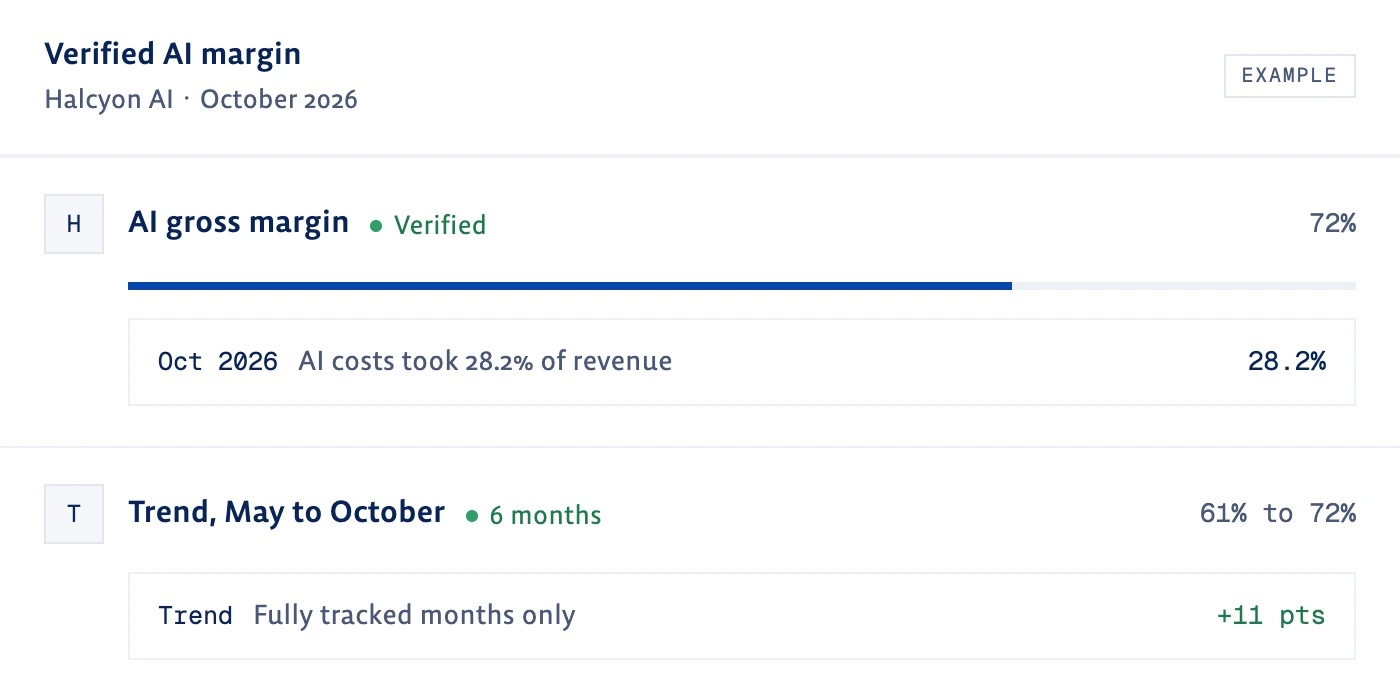
AI gross margin for Halcyon AI in October 2026, in this example.
Paste your public page link, and Lancelot keeps the number current, rechecked every hour.
Only the workspace owner can publish the badge or take it down.
The switch works once the margin is verified, so no badge goes out empty.
Paste the HTML or Markdown from Settings, and the badge updates each month.
AI gross margin comes up in diligence, next to a typical SaaS gross margin. AI costs are usually the difference.
Larger customers ask whether an AI vendor can afford its own costs.
One shared number for a README, an investor update or a pricing page.
The last complete calendar month. On November 24, that’s October.
Paid invoices from Stripe or RevenueCat, read-only. Each payment counts once, and test payments and taxes don’t count.
Every tracked call’s token counts, priced at each model’s rates for that day.
Live products only. Payments in a currency Lancelot can’t convert are left out, and the public page says how many.
Recalculated from those records every hour.
The margin, the month, AI cost as a share of revenue, up to six months of trend, and how Lancelot works out the number.
Customer names, revenue, AI cost in dollars, plans or anything else from your account.
Takes the public page and the badge down.
HTML for your website or Markdown for a README, copied from Settings.
The badge image refreshes about once an hour. GitHub and other sites that keep their own copy of images can take longer.
A badge and a public page that show your AI gross margin for the last complete month. Lancelot works it out from your paid invoices and tracked AI cost and refreshes it every hour, so nobody can type in a number.
Revenue minus AI cost, as a share of revenue, for the last complete calendar month across your live products. Revenue is paid invoices from Stripe or RevenueCat, without test payments or taxes. AI cost is every tracked call’s tokens, priced at that day’s model rates.
Lancelot tracked your AI usage for the whole month, and the month had both paid revenue and AI cost. Lancelot recalculates the number from those records every hour. The badge doesn’t replace a financial audit.
It shows the margin, the month, AI cost as a share of revenue and up to six months of trend. It never shows customer names, revenue, costs in dollars or plans.
After one full calendar month of tracking with paid revenue and AI cost in it. If you connect Lancelot in November, your first verifiable month is December, and it can be published from the start of January.
Only the workspace owner, from Settings. The owner can switch it off at any time, which takes the public page down, and Lancelot records every change in the workspace’s audit log.
The badge shows it. If AI cost was more than revenue last month, the badge and page show a negative margin. You decide whether to publish.
Every plan, from Founder up. The badge, the public page and the website and README snippets are all included, with nothing extra to pay.
Yes. The badge and public page share your AI gross margin as a percentage, so you can post it on X, your website or a README without showing revenue, costs or customers. The number updates as each new month is verified.
Yes. Paste your public page link into the update. Investors see last month’s AI gross margin, AI cost as a share of revenue and up to six months of trend, and Lancelot refreshes it every hour.